
Overview
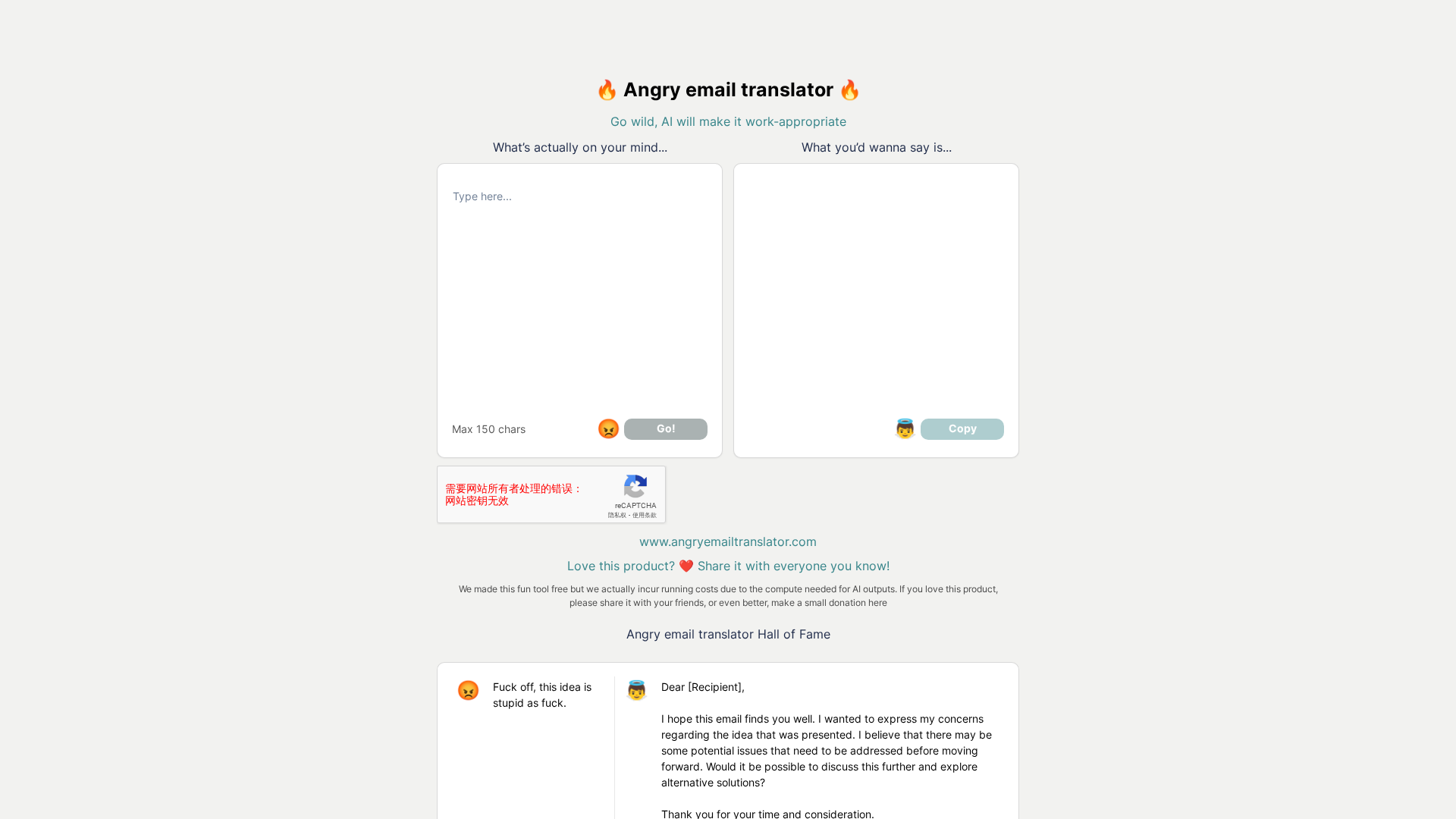
Summary of findings from a site visit and third-party reviews. Site observations (official site: https://angryemailtranslator.com/): - The site presents a web tool that translates angry messages into professional/polite emails. Page metadata title: “Angry Email Translator - Translate angry emails into polite ones!”. - Logo / favicon located at: https://angryemailtranslator.com/apple-touch-icon.png - The site’s visible content appears to rely on JavaScript; some content was gated or presented inside a meta-prompt when scraped, which limited direct extraction of on-page text. - Pricing as shown on the site: a Free plan (donation requested to help cover running costs). - No obvious Contact, About, Privacy, or Terms pages were discoverable via the site scrape. - No clear on-site documentation for integrations, API, extensions, or mobile apps was found when scraping the domain. Features listed on the official site: - AI-powered conversion of angry messages into professional/polite emails. - Input character limit shown on the site: max 150 characters. - Free to use; donations requested. - Ability to copy the output for pasting into emails. Additional capabilities reported by reputable review/aggregator pages (these are reviewer claims, not direct site copies): - Emotion detection (estimates anger/frustration level). - Content rewriting that preserves intent while softening tone. - Tone adjustment options (soften or strengthen). - Multilingual support. - Reviewers reported integrations (Gmail, Outlook, Yahoo Mail), browser extensions, mobile apps, and API access — these were reported by reviewers and were not confirmed on the official site during scraping. Availability, trust, and privacy notes: - The official site presents the tool as free and donation-supported. No onsite privacy policy or terms page were found during the scrape. Reviewer pages did not provide a concrete official privacy policy link; some reviewers praised perceived good data privacy while directing readers back to the official site for details. - Recommendation: before submitting sensitive content, confirm the service’s privacy/data retention policy directly in a browser session with JavaScript enabled or contact the site owner. Use cases: - Quickly soften or professionalize emotionally charged emails for workplace communications or personal correspondence. Practical next steps (recommended): 1) Open the site in a web browser with JavaScript enabled and test the tool with a non-sensitive sample email to confirm behavior and character limits. 2) Look for on-site links to Privacy Policy, Terms, or Contact (footer and menu); if none are present, avoid pasting highly sensitive or confidential text. 3) If integrations or an API are required, verify those directly with the official site or by contacting the owner (reviewer claims should be verified). 4) Optional help offer: draft a short non-sensitive sample to paste into the tool and report the output, or check recent reviewer pages (Futurepedia, 10Web, Callin) for deeper feature and privacy details.
Key Features
AI-powered angry-to-polite conversion
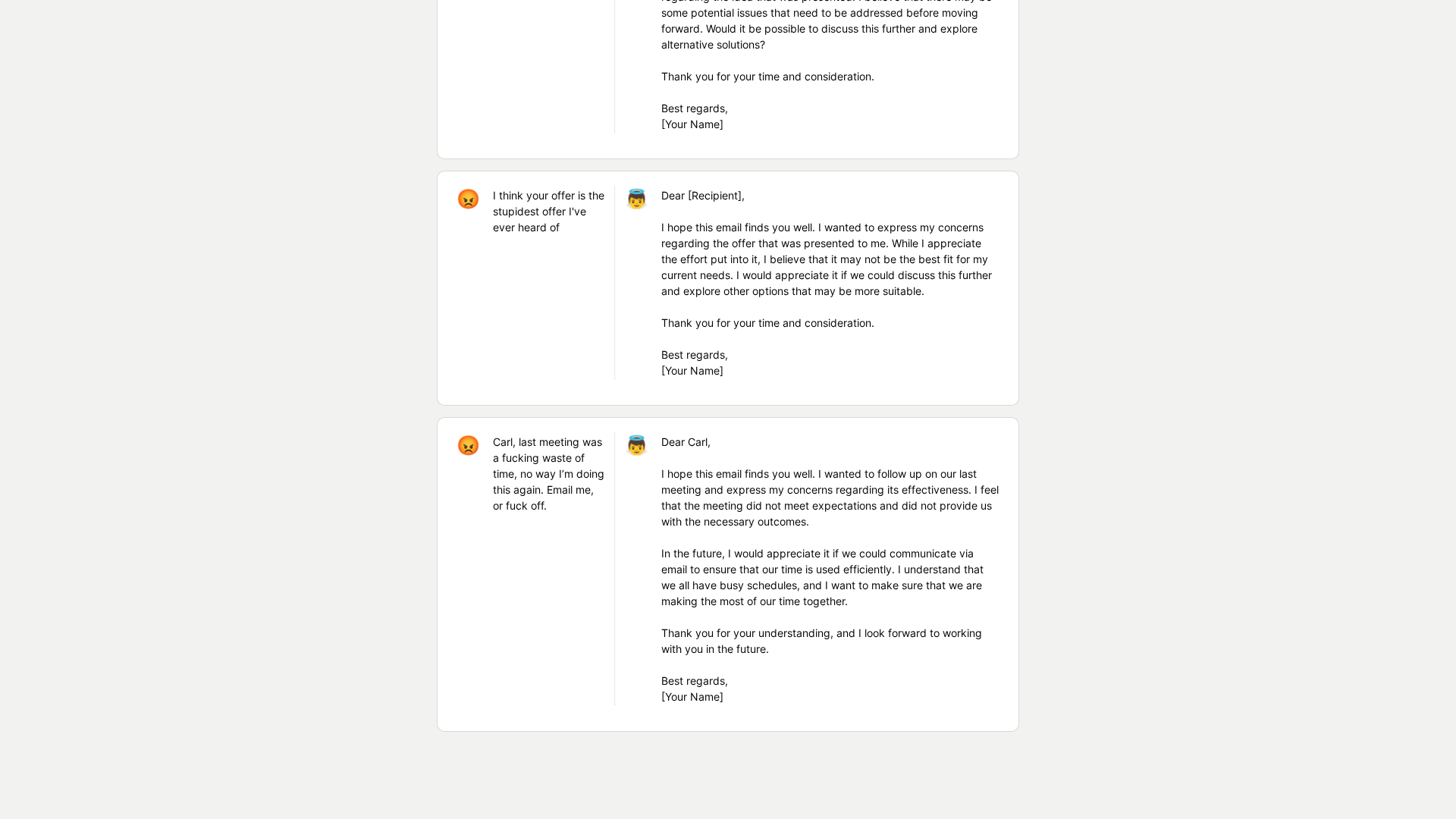
Converts angry or frustrated messages into professional, polite emails (listed on the official site).
Input character limit
Site shows a max 150 character input limit (observed during scraping).
Free to use (donation requested)
Official site presents a Free plan and requests donations to help cover running costs.
Copy output
Output can be copied for easy pasting into emails (feature listed on the site).
Emotion detection (reported by reviewers)
Third-party review pages report emotion/anger level estimation (this capability was reported by reviewers, not directly confirmed on the official site).
Tone adjustment options (reported by reviewers)
Reviewers report options to soften or strengthen tone; reported by aggregator/review pages, not confirmed on-site.
Who Can Use This Tool?
- Professionals:Rewrite emotionally charged workplace emails into polite, professional communications quickly.
- General users:Individuals needing to soften tone before sending emails; advisable to test with non-sensitive samples first.
Pricing Plans
Free to use; donations requested to help cover running costs.
- ✓AI-powered conversion of angry messages into professional/polite emails
- ✓Max 150 characters input (limit shown on the site)
- ✓Free to use (donation requested)
- ✓Copy output for easy pasting into emails
Pros & Cons
✓ Pros
- ✓Quick and easy to use for softening or professionalizing emails (reported by reviews and evident from site purpose).
- ✓Helpful for workplace communications to reduce confrontational tone.
- ✓Free to use with donation support lowers barrier to entry.
✗ Cons
- ✗No discoverable on-site Privacy Policy, Terms, or Contact pages found during scraping.
- ✗Site content relies on JavaScript which limited direct scraping of on-page text.
- ✗Reviewer-reported limitations: possible contextual misreads and imperfect nuance in less common languages.
- ✗Integrations and API/extension/mobile app availability were reported by reviewers but not confirmed on the official site; verification required.
Compare with Alternatives
| Feature | Angry Email Translator | Scribbly | MailMaestro (Maestro Labs) |
|---|---|---|---|
| Pricing | N/A | $9.90/month | $12/month |
| Rating | 8.3/10 | 8.3/10 | 8.1/10 |
| Tone Conversion Accuracy | Specialized angry-to-polite accuracy | Strong professional tone accuracy | Enterprise-grade tone accuracy |
| Context Awareness | Partial | Yes | Yes |
| Integration Depth | Partial | Yes | Yes |
| Multilingual Range | Partial | No | Yes |
| Emotion Detection | Yes | No | No |
| Customization Controls | Yes | Yes | Yes |
| Privacy & Compliance | No | Yes | Yes |
Related Articles (5)
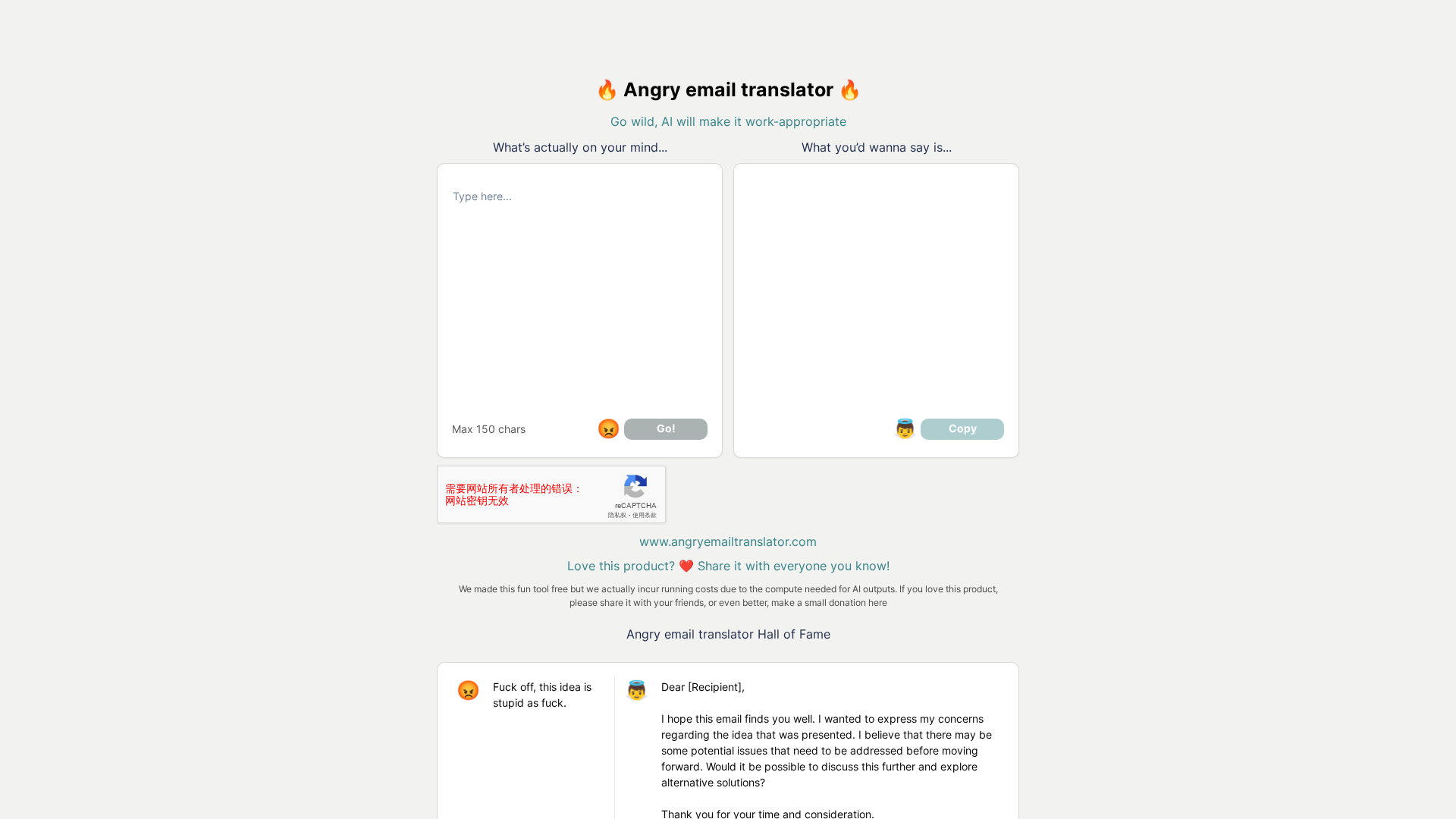
A meta prompt page requesting generation of article metadata for Angry Email Translator.
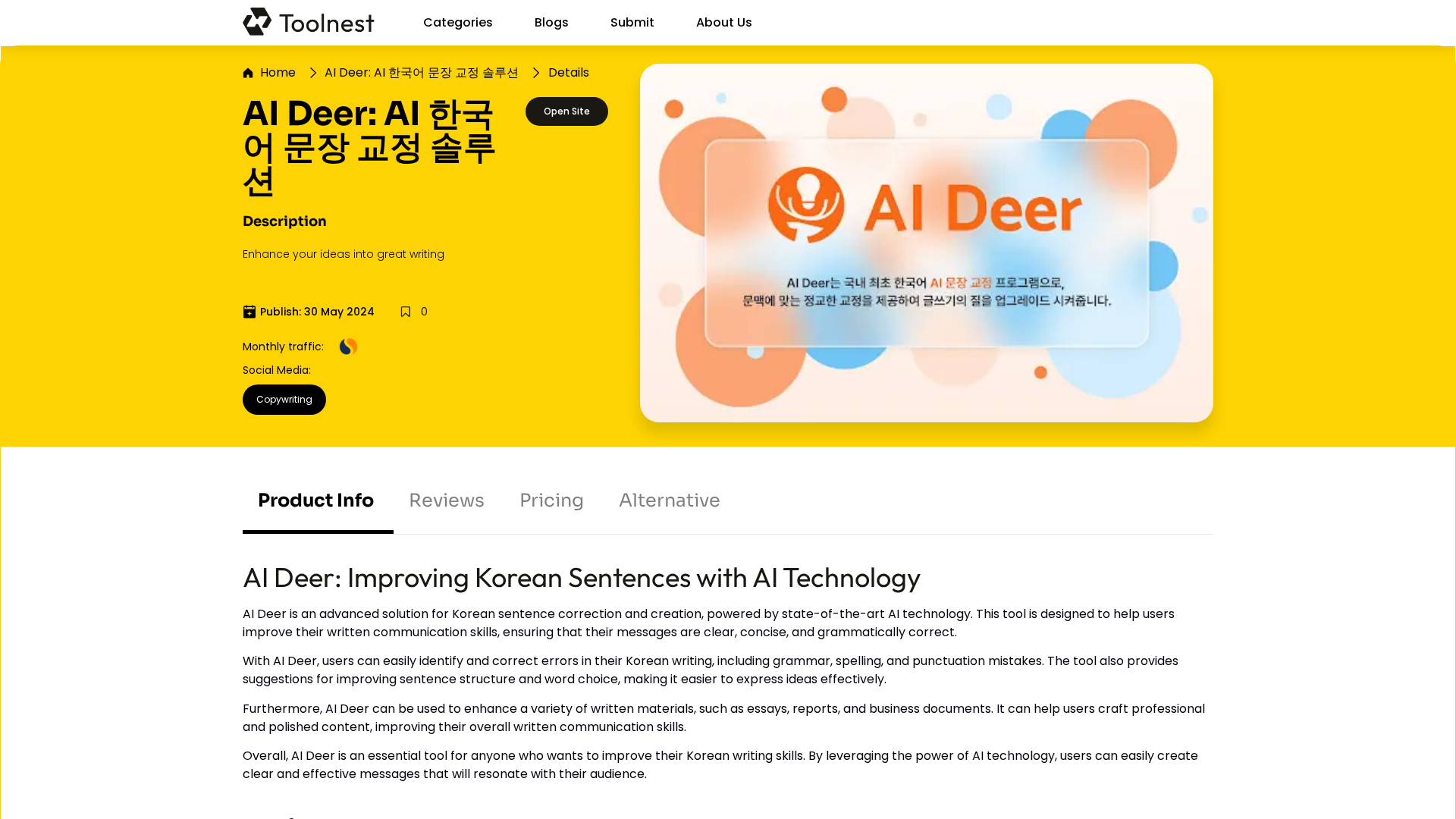
AI Deer is an AI-powered Korean writing tool that corrects grammar and enhances sentence quality for clear, professional text.
Free AI tool that rewrites angry emails into polite, professional messages to preserve workplace relationships.
Angry Email Translator is a free AI tool that transforms your angry, paggro emails into polite and p...
A free AI tool that turns angry emails into polite, professional messages to preserve workplace relationships.