Overview
Topaz Labs develops AI-powered image and video enhancement software used by photographers, filmmakers, archivists, and hobbyists. Its tools focus on sharpening, denoising, restoring, and upscaling (image up to 16x, video upscaling up to 4K+ with AI frame interpolation). The company emphasizes privacy with local rendering (files stay on-device) and offers optional cloud rendering via cloud credits for speed. The product family includes Topaz Photo AI, Topaz Video AI, and Gigapixel AI, plus cloud-only apps Bloom, Express, Mosaic, Astra, Gigapixel iOS, and others referenced on the pricing page. A developer API, Autonomous AI Enhancement API, targets enterprise automation via image and video APIs. Pricing is subscription-based with Personal, Pro, Team/Seat, and Enterprise tiers; cloud credits are used for cloud rendering. Docs, support, and developer resources are available; community forums exist; founder and careers pages indicate growth and recognition. Known gaps include founding year and exact current pricing; some apps lack public pricing and may require sales contact.
Key Features
Topaz Photo AI feature set
All-in-one image enhancer including denoise, sharpen, face recovery, healing, color balance, and multiple upscaling models; Autopilot mode; available as standalone or plugins for macOS/Windows; supports local and cloud rendering.
Topaz Video AI feature set
Cinematic-grade video enhancement: denoise, deblur, 4K upscaling, AI frame interpolation, stabilization, deinterlacing; local rendering by default with optional cloud rendering via credits.
Gigapixel AI features
Image upscaling with multiple models, up to 16x for print/restoration use.
Autonomous AI Enhancement API
Developer/API for image and video automation and enterprise pipelines.
Cloud apps and mobile offerings
Bloom, Express, Mosaic, Astra, Gigapixel iOS, and other cloud/mobile offerings referenced on pricing; some cloud-only apps.
Who Can Use This Tool?
- photographers:Enhancement and restoration of photos with denoise/sharpen/upscaling and recovery features.
- filmmakers:Cinematic video enhancement including denoise, deblurring, upscaling, and frame interpolation.
- enterprise:Large-scale image/video automation via Autonomous AI Enhancement API and enterprise licensing.
- hobbyists:Accessible tools for personal projects with high-quality AI enhancement.
Pricing Plans
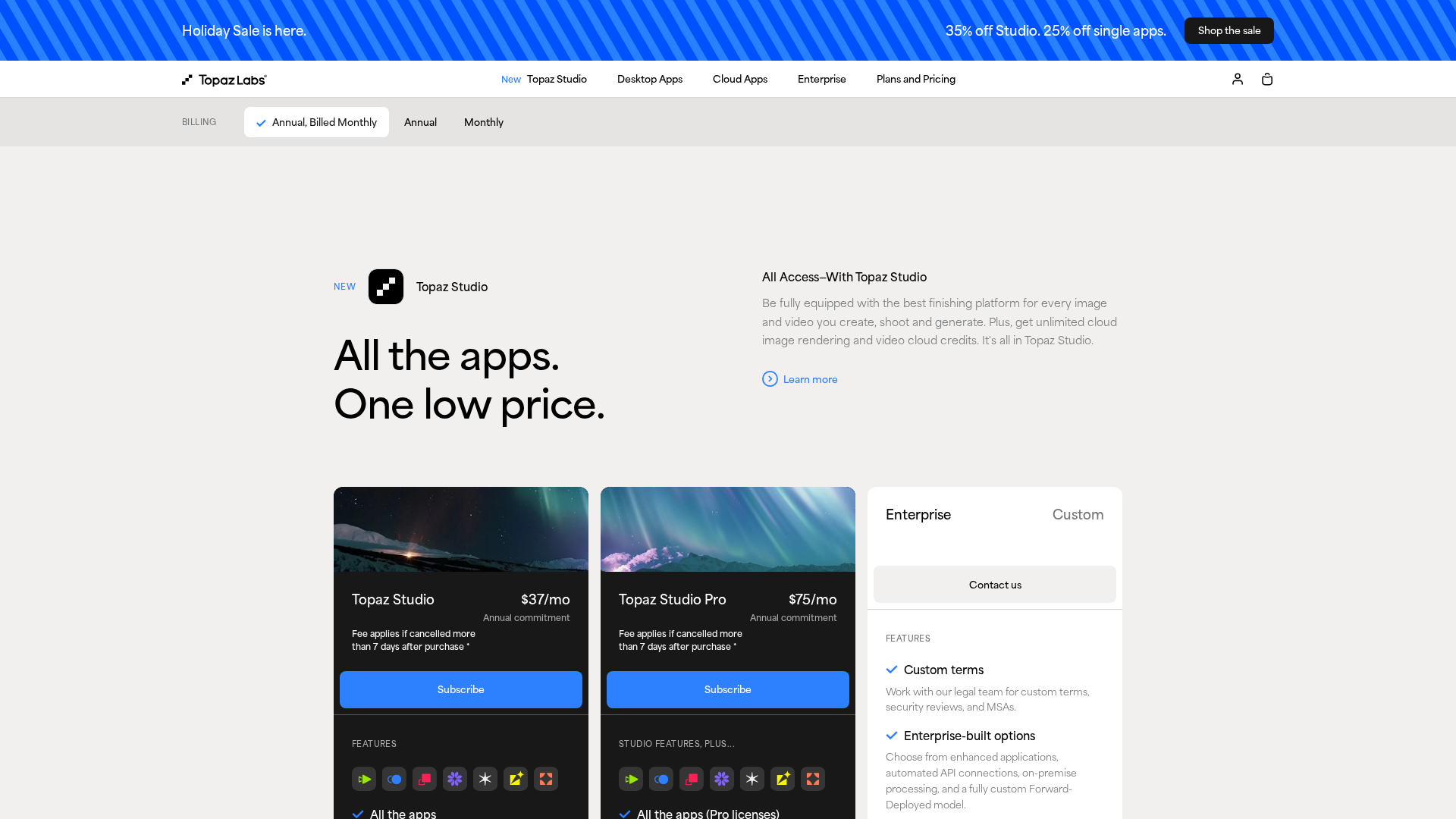
All apps, unlimited local & cloud image rendering, 300 monthly video cloud credits, limited commercial use for orgs < $1M revenue.
- ✓All apps included
- ✓Unlimited local rendering
- ✓Cloud image rendering (300/mo)
- ✓Video cloud credits (300/mo)
- ✓Limited commercial use for orgs < $1M revenue
Pro features, seat management, 600 video cloud credits, full commercial use.
- ✓Pro features
- ✓Seat management
- ✓600 video cloud credits
- ✓Full commercial use
Personal plan for video enhancement.
- ✓Video denoise
- ✓deblur
- ✓4K upscaling
- ✓local rendering
Pro features for commercial use with full capabilities.
- ✓Pro features
- ✓Full commercial use
Personal photo enhancement plan.
- ✓Denoise
- ✓Sharpen
- ✓Face recovery
- ✓Upscaling up to 16x
Pro features with full commercial rights.
- ✓Pro features
- ✓Full commercial use
Astra shows no public pricing; enterprise-only terms likely with sales contact.
- ✓No public pricing
- ✓Enterprise-only terms
Custom terms, on-premise or dedicated support, offline auth, MSAs.
- ✓Custom terms
- ✓On-premise / dedicated support
- ✓Offline auth
- ✓MSAs
Pros & Cons
✓ Pros
- ✓High-quality denoising and upscaling
- ✓Strong image and video output quality
- ✓Local rendering supports privacy; cloud rendering via credits speeds up workflows
- ✓Developer API for enterprise automation
- ✓Active community and documentation
✗ Cons
- ✗UX stability and performance differences between Pro and Standard
- ✗Pricing model relies on subscriptions with cloud credits, which can incur ongoing costs
- ✗Some products have no public pricing and require sales contact